
Introduction
An Integrated Development Environment (IDE) is a software application that provides a comprehensive set of tools for software development. An IDE typically includes a code editor, a compiler or interpreter, and a debugger. IDEs are designed to make the software development process more efficient by providing a single interface where developers can access all the tools they need to write, test, and debug code.
When it comes to Ruby on Rails development, having a good IDE is crucial. Ruby on Rails is a web application framework that follows the Model-View-Controller (MVC) architecture, and an IDE can help developers navigate the different components of an MVC application. IDEs for Ruby on Rails development typically include support for Ruby syntax, code completion, and debugging. They also usually include support for Git, the version control system most commonly used with Rails. Additionally, many IDEs also have specific Rails functionality, such as generators and scaffolds.
In this blog, we will take a look at some of the most popular IDEs for Ruby on Rails development and compare their features, pros and cons, price, popularity and user interface. By the end of this blog, you will have a better understanding of what an IDE is, the importance of an IDE for Ruby on Rails development, and which IDE is the best fit for your specific needs.
Popular Ruby on Rails IDEs:
- Visual Studio Code: Visual Studio Code is a popular, open-source code editor from Microsoft. It’s lightweight and has a clean user interface, making it easy to navigate. It offers a wide range of features such as debugging, IntelliSense (code completion and suggestions), and Git integration. It also has a rich ecosystem of extensions, including several specifically for Ruby on Rails development.
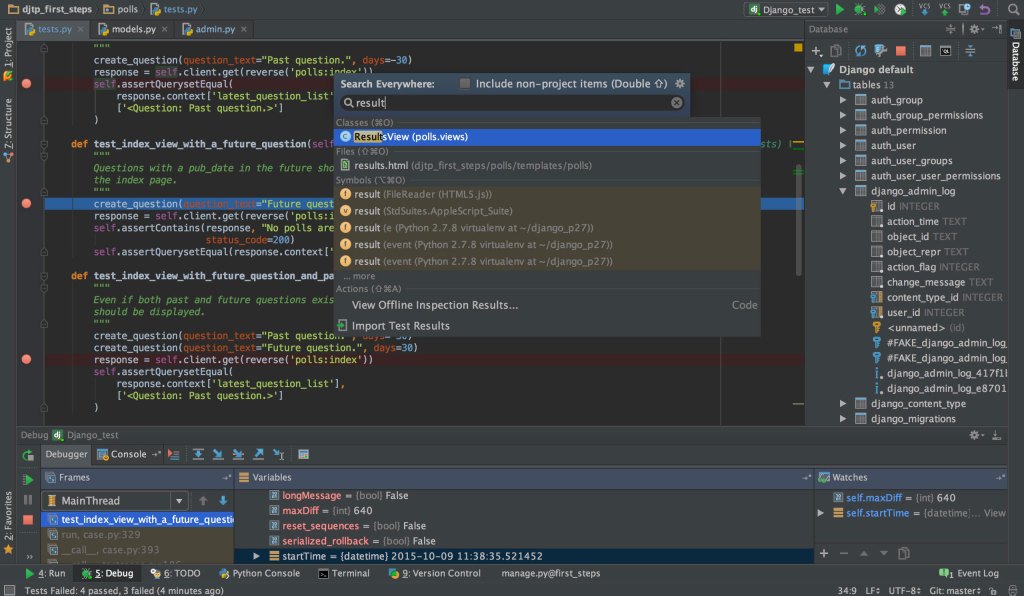
- RubyMine: RubyMine is a full-featured IDE created by JetBrains, it is specifically designed for Ruby and Rails development. It offers a wide range of features such as code completion, debugging, refactoring, and Git integration. Its debugging capabilities are highly acclaimed and the user interface is intuitive. RubyMine also has a 30-day trial period which allows developers to evaluate the IDE before purchasing it.
- Sublime Text: Sublime Text is a popular, lightweight text editor that is highly customizable and easy to use. It’s well-suited for developers who prefer a minimalistic approach to their development environment. It offers a number of features such as multiple cursors, split editing, and a robust package ecosystem.
- Atom: Atom is a popular, open-source code editor from GitHub. It’s built with web technologies and has a simple, modern user interface. It offers a wide range of features such as multiple cursors, split editing, and a robust package ecosystem.
- Eclipse + Aptana: Eclipse is a popular, open-source IDE that can be used for a wide range of programming languages. It can be extended with the Aptana plugin, which adds support for Ruby on Rails development. It offers a wide range of features such as code completion, debugging, and Git integration.
- NetBeans: NetBeans is a popular, open-source IDE that supports a wide range of programming languages. It offers a wide range of features such as code completion, debugging, and Git integration. It also has a Ruby on Rails plugin that adds support for Rails development.
All these IDEs are popular among Ruby on Rails developers and offer a wide range of features. Ultimately, the best IDE for you will depend on your specific needs and preferences. It’s important to keep in mind that the features, pricing, and user interfaces of these IDEs can differ greatly, so it’s worth taking a closer look at each one to see which one is the best fit for you.
Comparison of the IDEs:
- Features: All the IDEs discussed above have a wide range of features that support Ruby on Rails development, such as code completion, debugging, refactoring, and Git integration. However, some IDEs have more advanced features than others. For example, RubyMine has an advanced debugging capability and Ruby on Rails specific features such as RSpec and Cucumber testing. Sublime Text and Atom are more lightweight and don’t have as many built-in features as the other IDEs, but they have a robust package ecosystem, which allows you to install different packages to enhance functionality.
- Pros and cons: Each IDE has its own set of advantages and disadvantages. For example, Visual Studio Code has a clean user interface and a wide range of features, but it can be a bit slow when working with large projects. RubyMine is specifically designed for Ruby on Rails development and has advanced debugging capabilities, but it can be quite pricey for individual developers. Sublime Text and Atom are lightweight and easy to use, but they don’t have as many built-in features as the other IDEs.
- Price: Most of the IDEs discussed above are open-source and free to use, with the exception of RubyMine which is a commercial product. It has a 30-day trial period and after that, it’s a paid product.
- Popularity: All the IDEs discussed above are popular among Ruby on Rails developers, but Visual Studio Code, RubyMine, and Sublime Text are considered to be among the most popular.
- User Interface: All the IDEs have a different user interface, some are more minimalistic, like Sublime Text and Atom, while others like Rubymine have a more advanced interface. The best UI depends on personal preference, developers with more experience might prefer a more advanced UI while beginners might prefer something more simple.
In conclusion, the best IDE for Ruby on Rails development depends on your specific needs and preferences. It’s important to consider factors such as features, price, popularity, and user interface when making your decision. It’s also worth trying out different IDEs to see which one works best for you.
Conclusion
In conclusion, there are several popular IDEs available for Ruby on Rails development, including Visual Studio Code, RubyMine, Sublime Text, Atom, Eclipse + Aptana, and NetBeans. Each IDE has its own set of features, pros, and cons, and the best IDE for you will depend on your specific needs and preferences.
Visual Studio Code and RubyMine are considered to be among the most popular IDEs for Ruby on Rails development, and both offer a wide range of features and great debugging capabilities. Sublime Text and Atom are also popular among developers for their clean user interface and customizability. For developers who want a more advanced UI, Rubymine is a good choice. Eclipse + Aptana and NetBeans are also options for developers looking for a more traditional IDE experience.
In summary, the best Ruby on Rails IDE for you will depend on your specific needs and preferences, whether you are looking for something more lightweight or advanced, with a free or paid version. It’s important to try out different IDEs to see which one works best for you. If you’re still not sure which one to choose, you can Hire Ruby on Rails Developers to help you make the right choice and bring your web development project to life.
Bonus tips
- How to optimize your IDE for Ruby on Rails development:
- Enable the RuboCop plugin. RuboCop is a Ruby code style checker and formatter. This plugin will help you to keep your code clean and readable.
- Use the Ruby extension for syntax highlighting and code completion.
- Install the Rails extension to add Rails-specific functionality to your IDE.
- Use the Git extension for Git integration and version control.
- Enable the RSpec extension for RSpec testing.
- Install the Rails ERD extension to generate ERD diagrams of your database.
- Customize your keyboard shortcuts to make navigation and commands more efficient.
- Configure the debugging settings to improve your debugging experience.
- Plugins and extensions to improve development experience:
- Rails Extensions: This extension adds Rails-specific functionality to your IDE.
- RSpec: Extension for RSpec testing.
- Git: Extension for Git integration and version control.
- Rubocop: Code style checker and formatter.
- Ruby Critic: Analyzes the quality of your code
- Rails ERD: Generates ERD diagrams of your database.
- Better Errors: Enhances the error page displayed in development mode.
- Rails Go to Spec: Allows you to navigate to a spec file from a Rails file and vice versa.
Keep in mind that not all of the above plugins will be necessary for your development process, it depends on the specific requirements of the application. By installing the necessary plugins and optimizing the IDE settings, you can improve your development experience and become more efficient with your coding.


 Tagline Infotech
Leave a comment